How We Send Email Sequences and Product Update Emails for ~$0.001
Parth Koshti
Email marketing is essential, especially for SaaS, but the costs can be a killer if you're on a scrappy, bootstrapped budget. Most services charge you based on the size of your contact list. As you grow, so do your bills. This "success tax" can put a real strain on a bootstrapped business or a new startup in the early stages while you're still figuring out PMF.
We faced this exact problem and here's how I solved it.
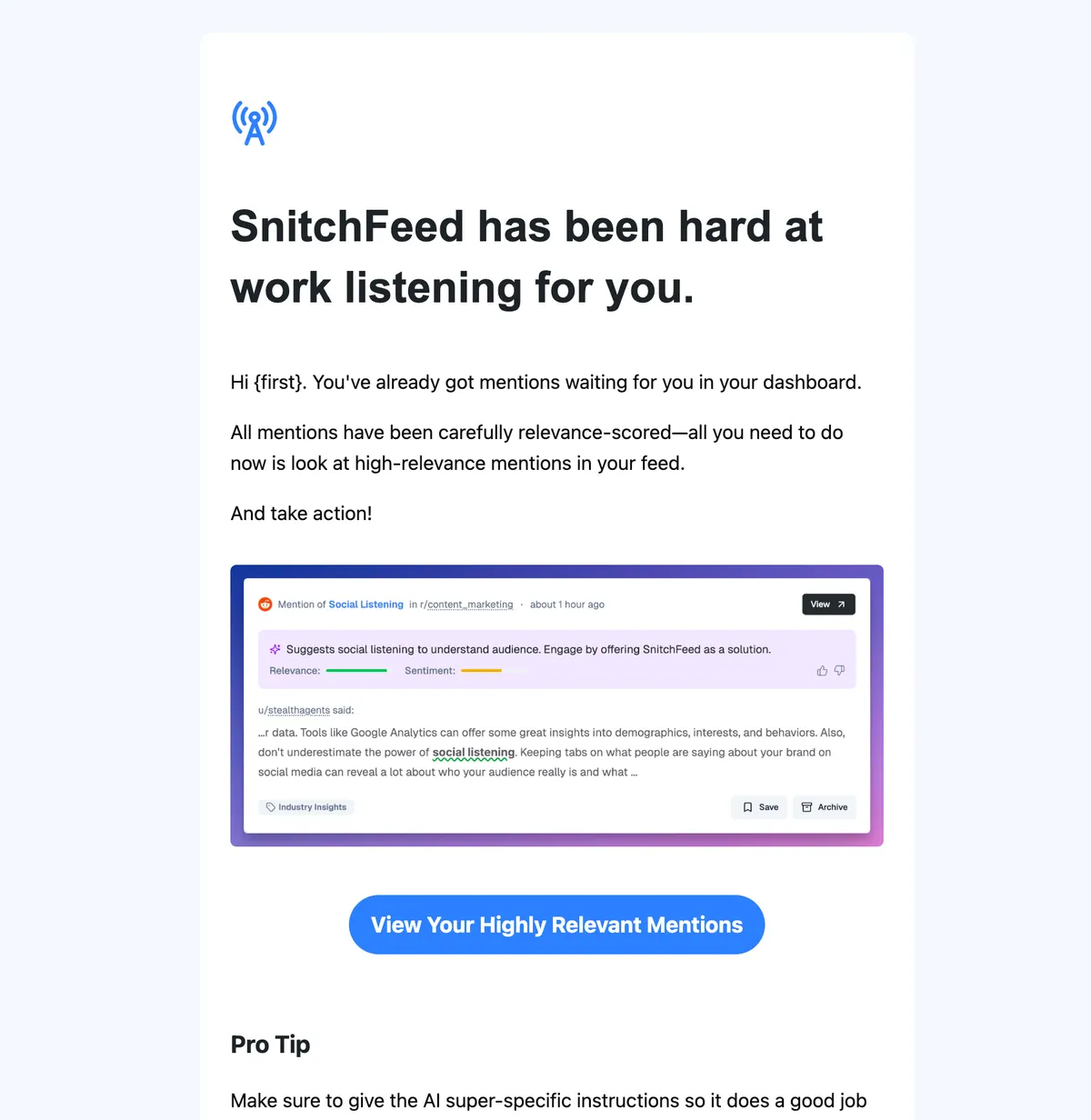
I "built" a powerful, low-cost email automation stack using Groundhogg.io and a simple node.js wrapper I created. The best part? SnitchFeed's email marketing costs don't scale with our user list. We send thousands of emails for ~$0.001 each, and you can, too.
Why We Chose a Self-Hosted Stack
We wanted control. We wanted to own our data and our tools without being at the mercy of a SaaS provider's pricing plan. Our solution combines the best of both worlds: a powerful, full-featured CRM and email automation platform with a cost-effective, self-hosted sending service.
The Key Components:
- Groundhogg.io: A fantastic, open-source CRM and marketing automation tool for WordPress. It has all the features of expensive competitors, but you own it.
- AWS SES: Amazon's Simple Email Service is an industry-standard, high-deliverability email sending service with a pay-as-you-go model. It costs a fraction of what other services charge.
- groundhogg-js: A simple, easy-to-use npm package that lets us manage contacts, tags, and funnel enrollments directly from our backend applications.
Plus, if we ever feel the need to move to a "fuller" email marketing platform, we can simply import a CSV and be done with it.
Simple Automation, Powerful Results
groundhogg-js makes it incredibly easy to connect your application to Groundhogg's API and powerful automation features. Imagine a new user signs up on your website. With just a few lines of code, you can:
- Create a new contact in Groundhogg.
- Add a tag (e.g.,
onboarding-started). - Automatically enroll them in your onboarding email sequence.
No more manual entry, no more expensive integrations. It just works.
import { GroundhoggClient } from "groundhogg-client";

const gh = new GroundhoggClient({
  baseUrl: process.env.GROUNDHOGG_API_URI!,
  publicKey: process.env.GROUNDHOGG_PUBLIC_KEY!,
  token: process.env.GROUNDHOGG_TOKEN!,
  defaultFrom: "no-reply@yourdomain.com",
});

await gh.createContact({
  email: "john@example.com",
  first_name: "John",
  last_name: "Doe",
  tags: [123, "newsletter"],
});
The simple code snippet that creates a new contact and adds a tag from our backend.
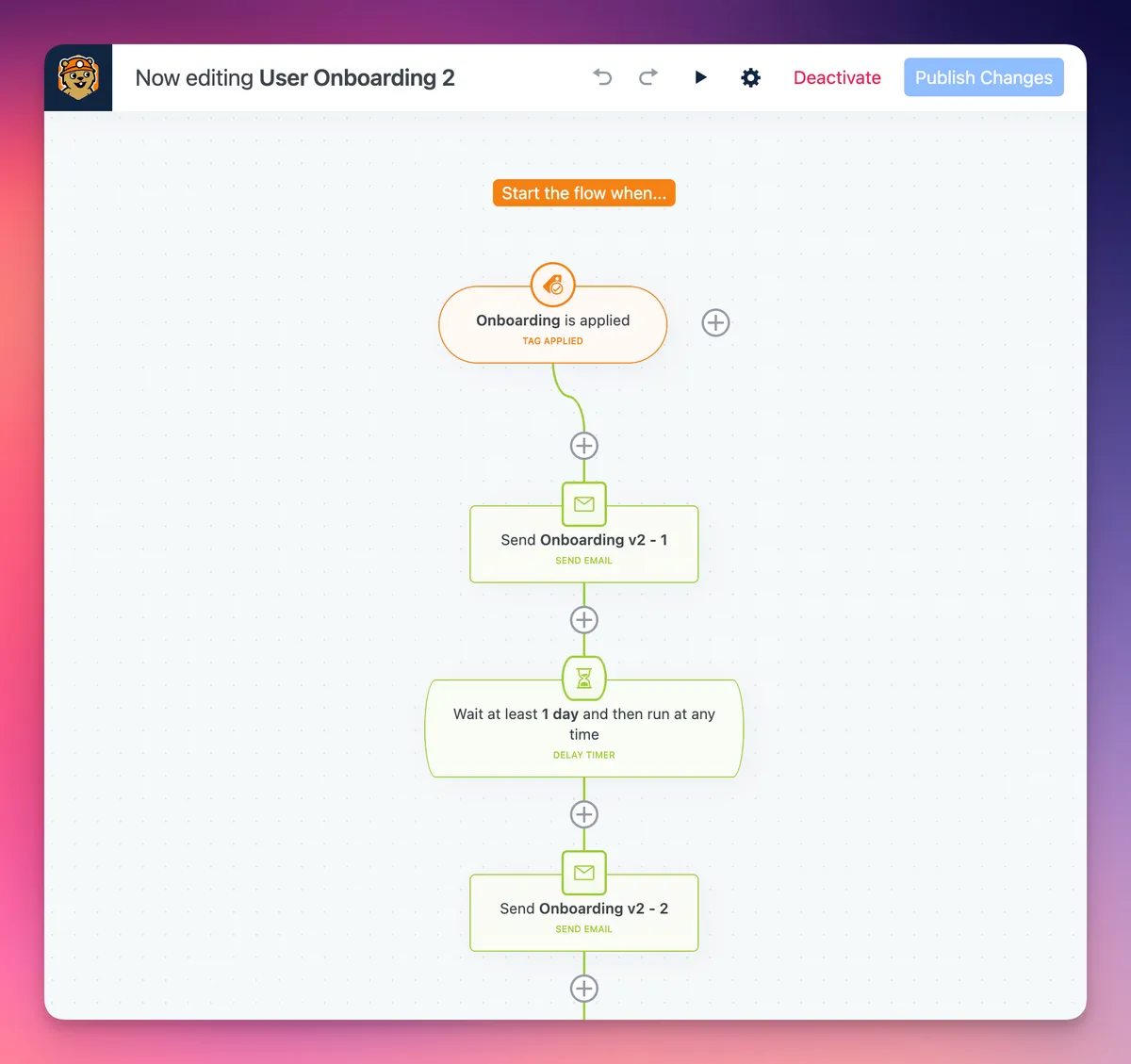
Groundhogg’s funnels then take over, sending a series of perfectly timed, personalized emails.
[Screenshot: A Groundhogg funnels screenshot, showing an example of an onboarding funnel that is triggered by the onboarding-started tag]
A view of the Groundhogg funnel UI, showing how a tag can trigger a series of emails.
The Stack Has Everything We Need
Groundhogg is a robust platform with all the features you need to run a successful email marketing program.
- Clicks & Opens Tracking: The reporting is fantastic. You can see exactly how your funnels and newsletters are performing, giving you the data you need to optimize.
- Drag-and-Drop Email Builder: The UI for designing beautiful emails is intuitive and powerful.
- Self-Serve Subscription Management: A great way to build trust and reduce support tickets. Your contacts can manage their own subscriptions without you lifting a finger.
A beautiful email designed with Groundhogg's easy-to-use editor.
The Cost Breakdown
This is where the true power of this stack becomes clear.
- Hosting: ~$5/mo (SnitchFeed is hosted on two VPS instances, so we could even use the same servers)
- Groundhogg: Free tier is perfectly fine for what we need (funnel automation, reporting), but they do have paid plans for extra features.
- AWS SES: $0.10 for every 1,000 emails you send.
With this setup, your email marketing costs remain predictable and low, regardless of whether we're sending 200 or 20,000 emails/mo. (which we do, because we're a social listening platform!)
Hope this helps you!
Related articles
How to Use Google Alerts (Complete Guide for Startup Teams)
Complete Google Alerts guide for startup CEOs and growth teams. Learn setup, best practices, limitations, and when to upgrade to real-time tools.
12 min readHow to Find PMF Faster with Social Listening
What if you could skip the guessing and get direct, unfiltered feedback from your target audience in real time?
8 min readHow to Promote Your Business on Reddit
Reddit marketing done right: tips, strategies, and examples to grow your business authentically. Avoid bans, boost SEO, and engage your audience.
12 min read